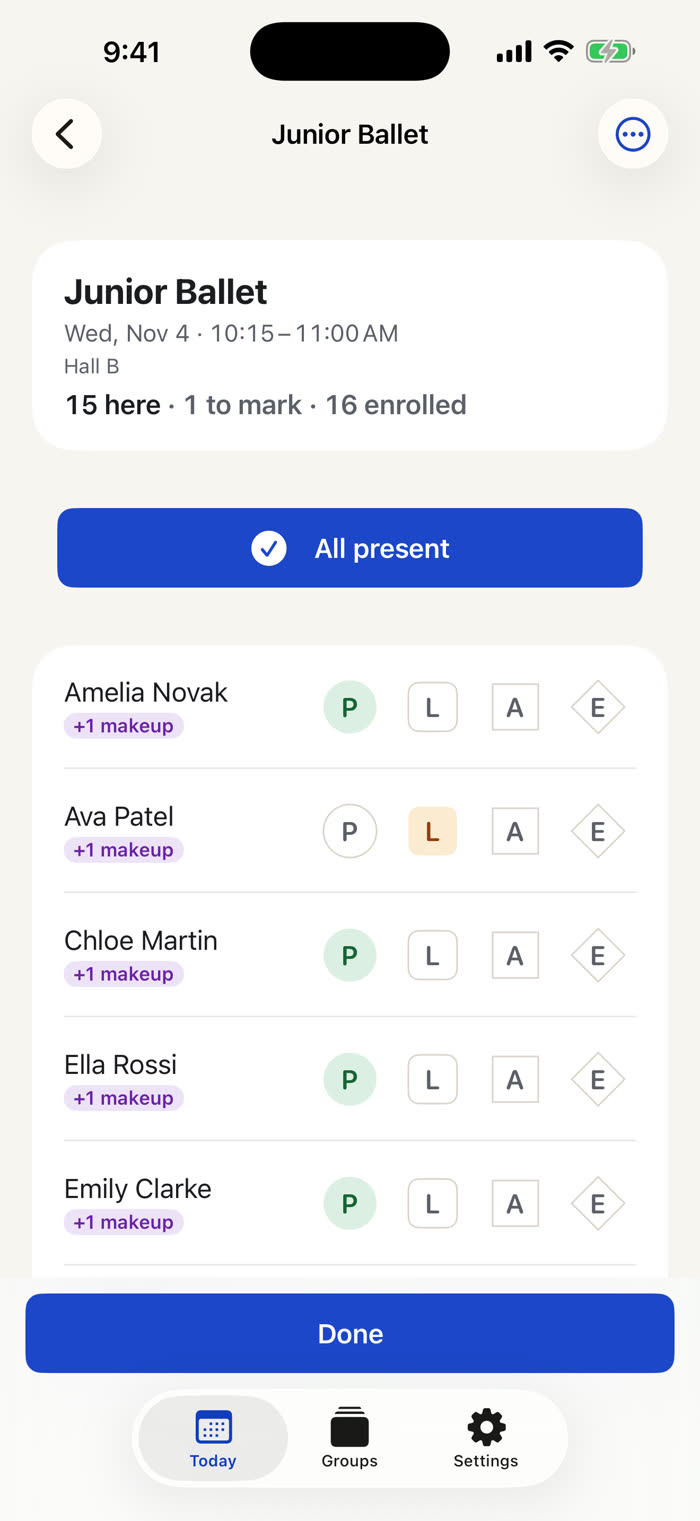
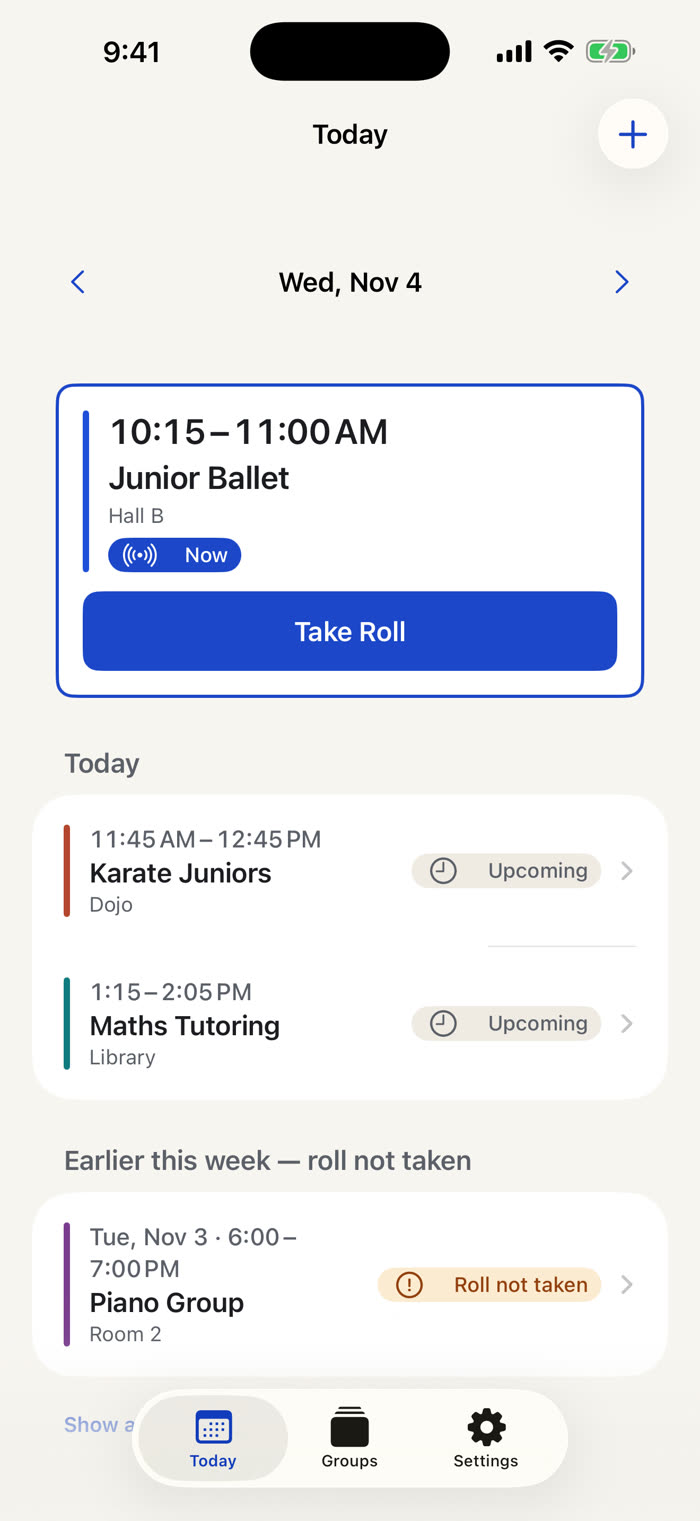
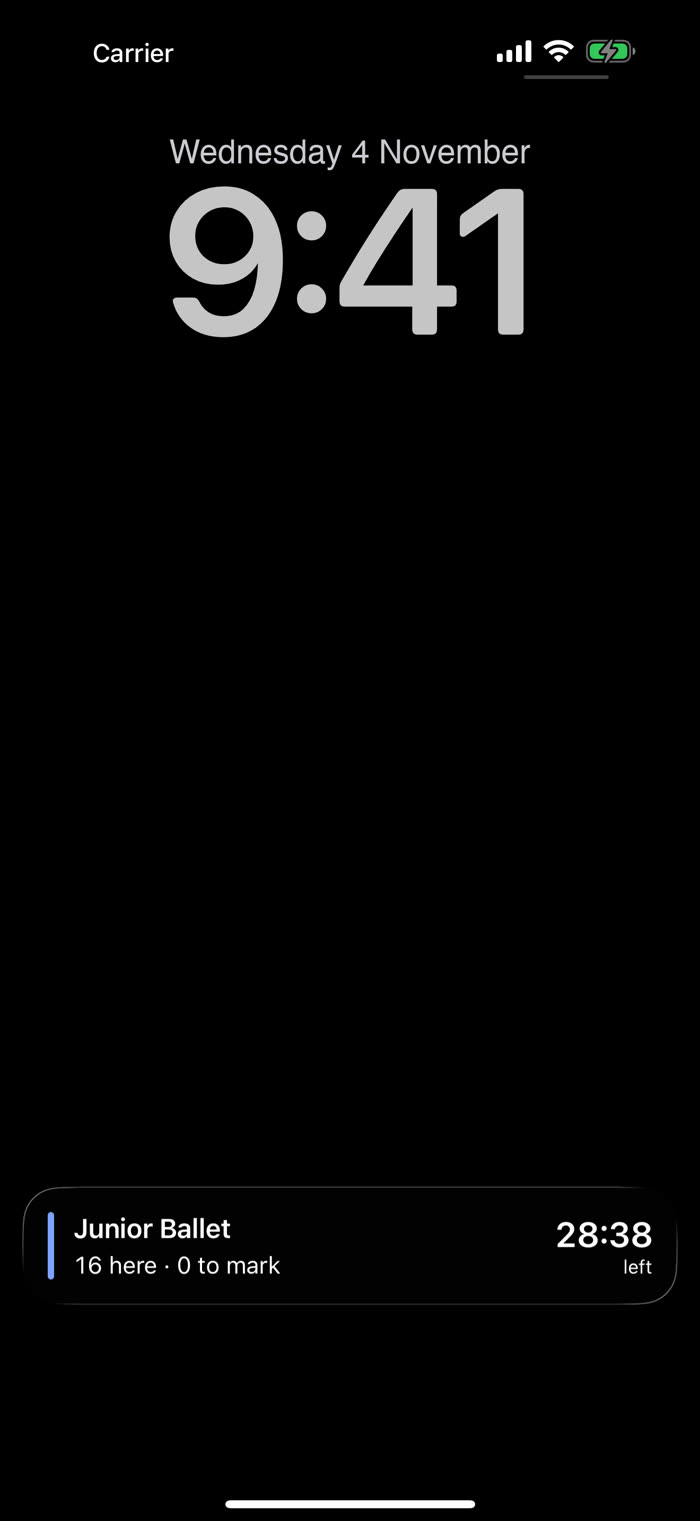
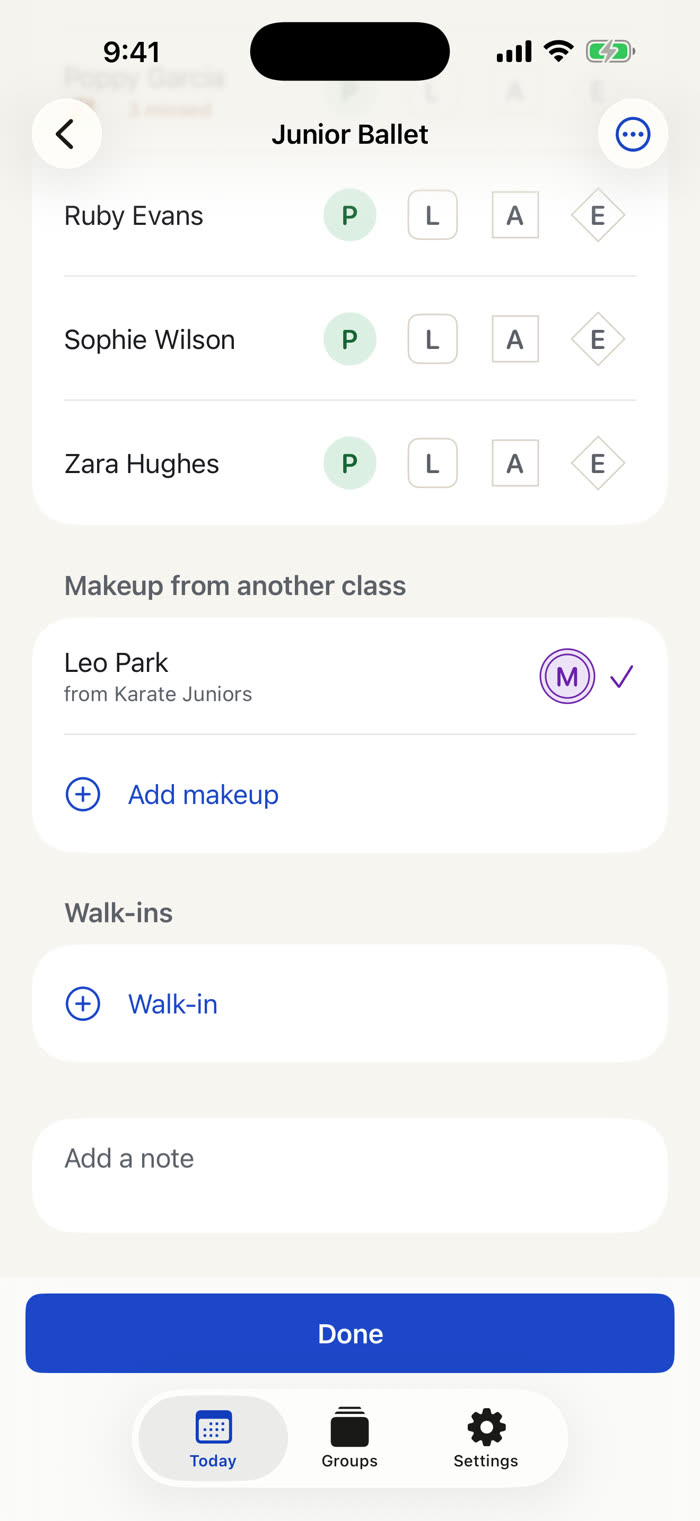
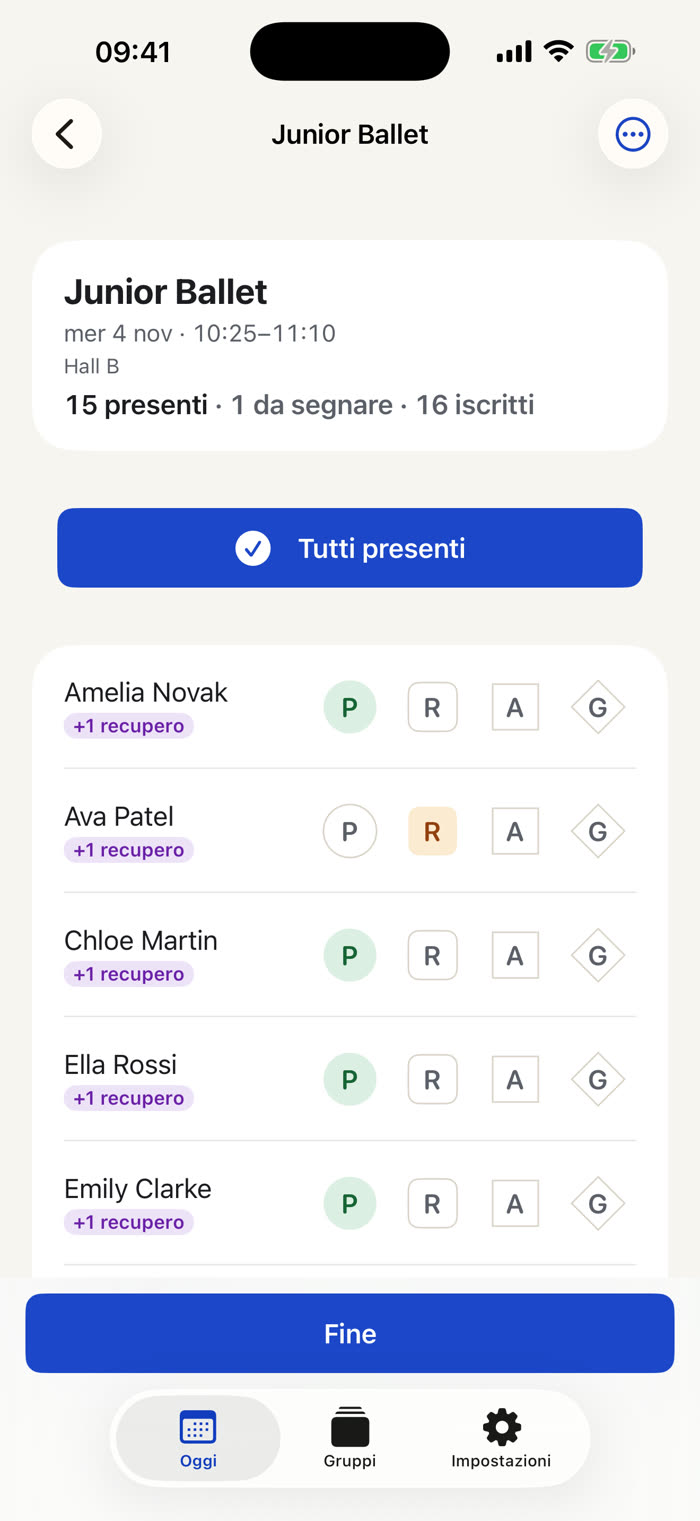
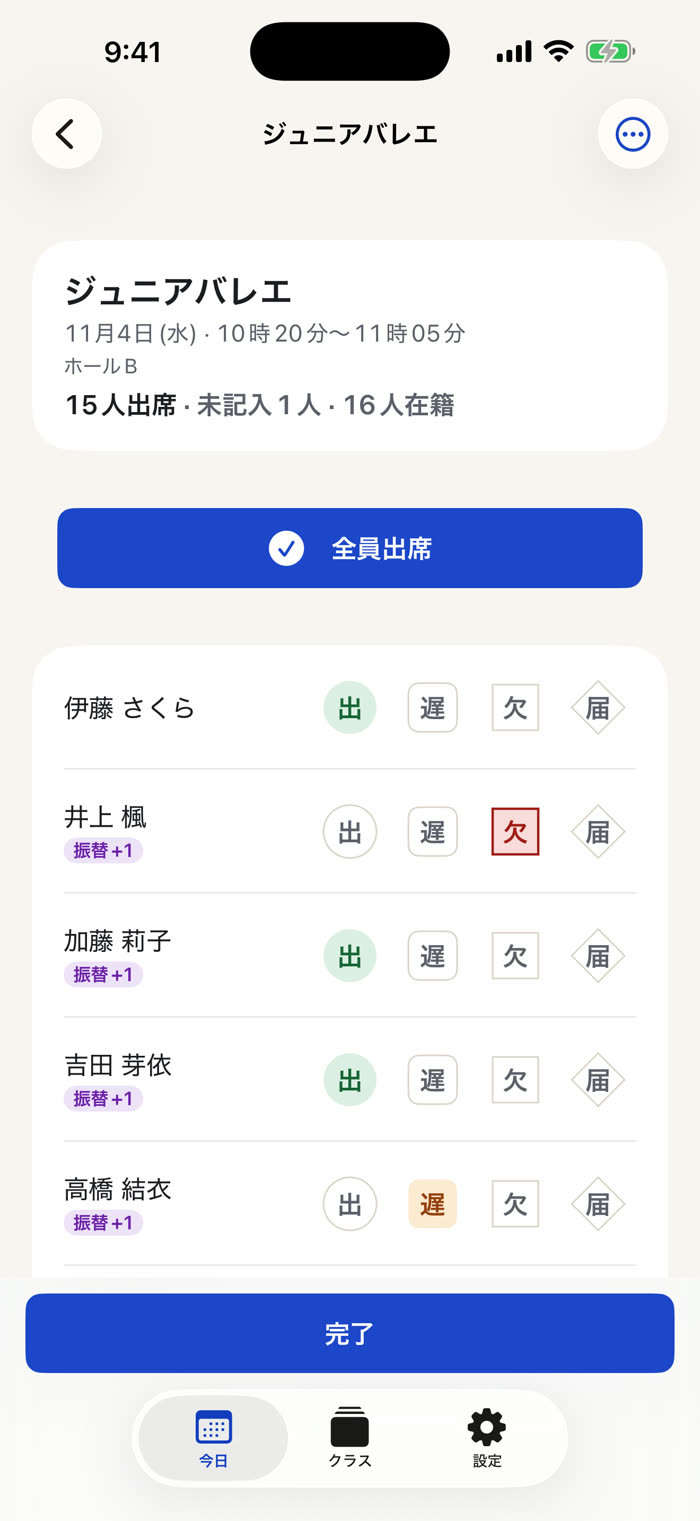
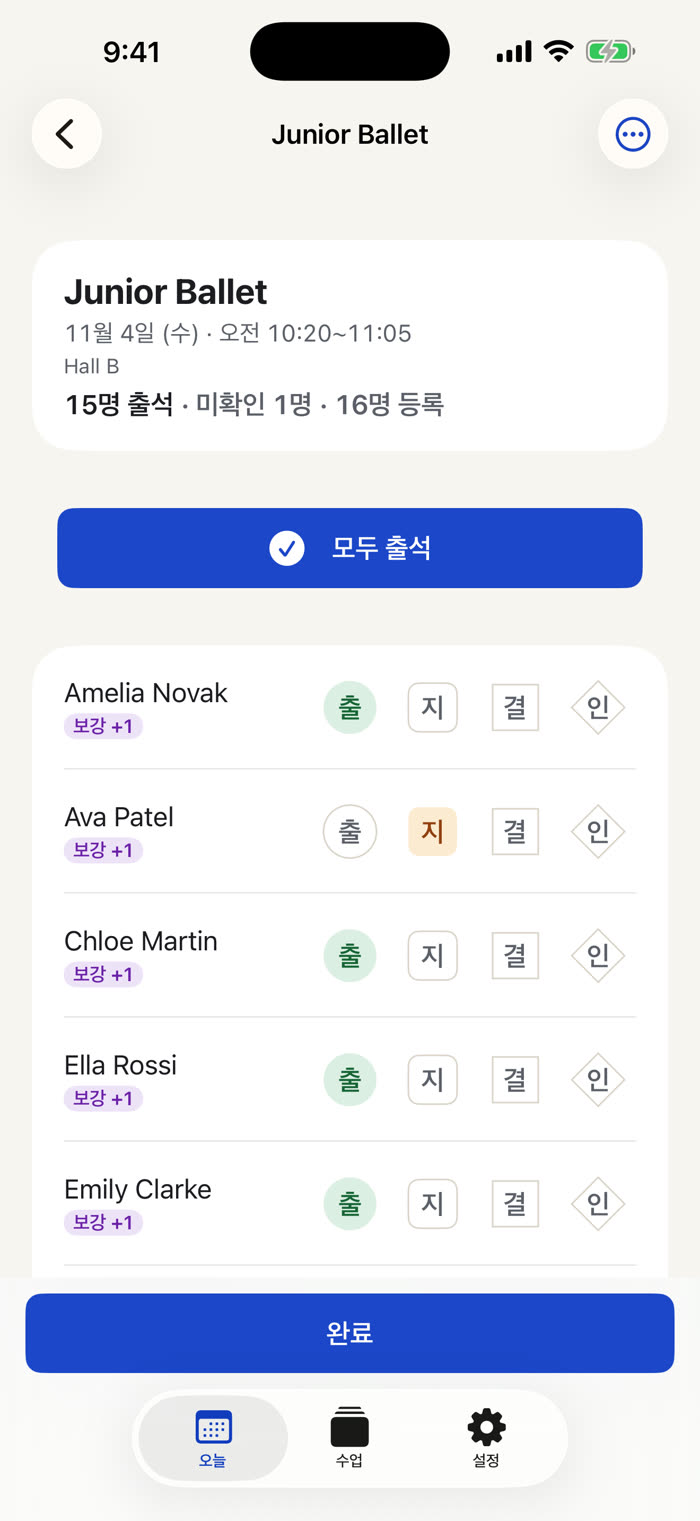
Today's classes are waiting, with a Live Activity while you teach. Tap All present, fix the few who are late or away, and you're done. The term register is a PDF or CSV whenever someone asks for it.

40-second tour
Today's classes, All present, the head count on your Lock Screen, a makeup credit and the whole term in one grid. Tap the speaker for the narrated version.
For teachers, coaches and tutors
Classroll is the attendance register for anyone who runs the same groups every week: dance, karate, taekwondo and martial arts, piano and music lessons, swimming, tutoring, yoga, Sunday school, scouts and clubs. It takes the roll and keeps the register, nothing more.
Today
Add your timetable once ("Junior Ballet, Tuesdays 16:30, 45 minutes"). Classroll opens on Today with every class you teach today, in time order. The one starting now sits on top with a Take Roll button.
Cancel a class for a holiday or add a one-off rehearsal in a swipe. A class whose roll was never taken waits for you under "Earlier this week".
Roll call
Tap All present, then fix the few who are late or missing. Present, Late, Absent, Excused: one tap each, saved instantly, so an interruption never loses a mark.
Add a walk-in or a trial student in a second, and enrol them if they stay. The head count is always on screen.
Live Activity
While class runs, a Live Activity shows the head count and the minutes left on the Lock Screen and in the Dynamic Island, so you can glance at your phone without opening it.
Home Screen and Lock Screen widgets show your next class, and the Shortcut "Take the roll" opens it straight away.
In the Dynamic Island tooTerm grid
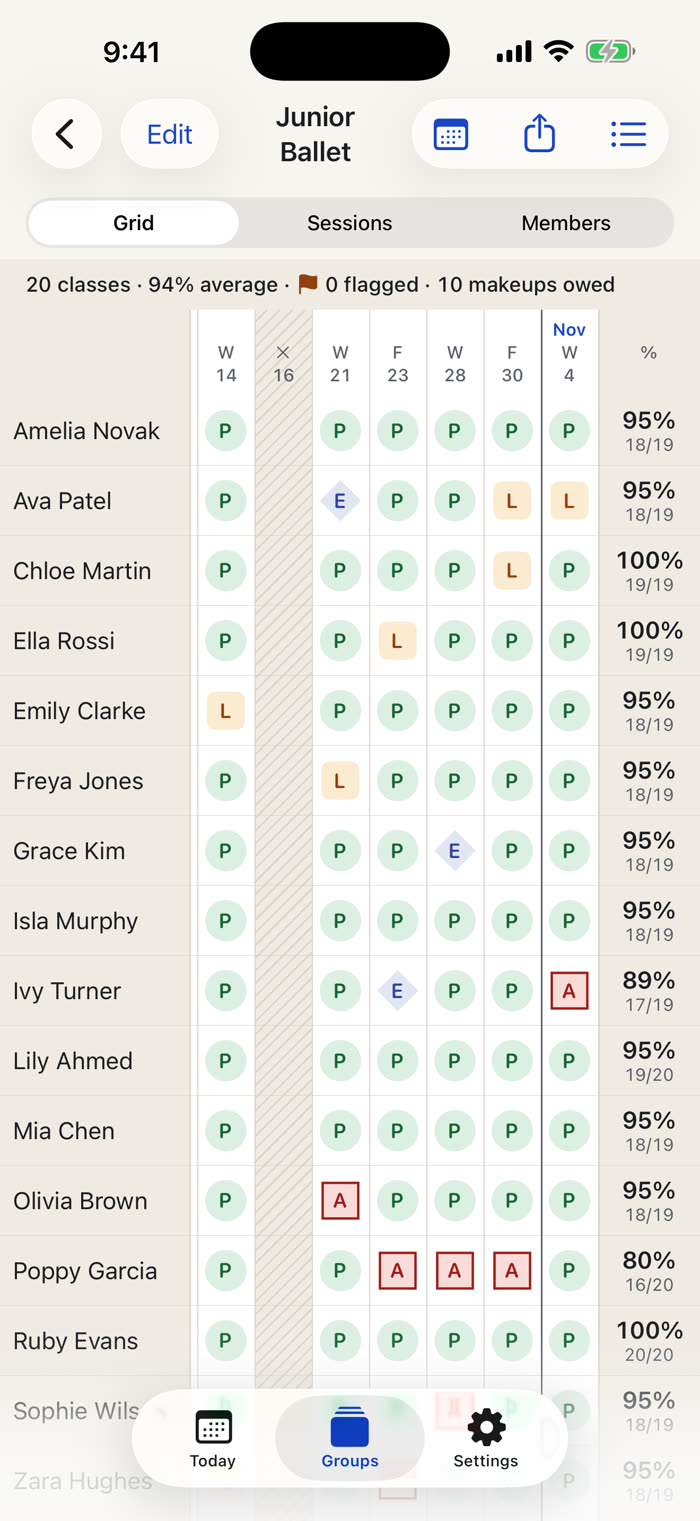
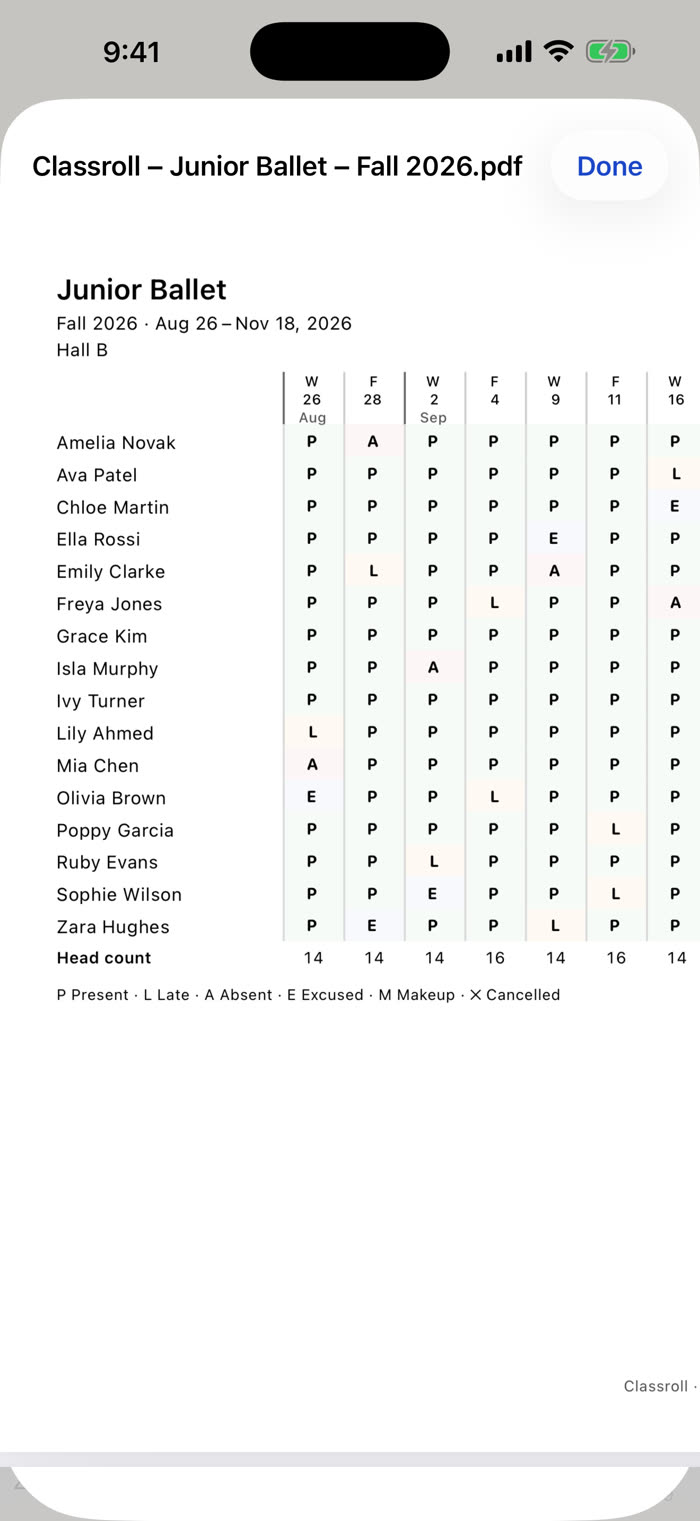
Every class builds a term grid: dates across, names down, each pupil's attendance percentage in the margin. Tap any square to fix it. Name your terms, or just look at the last 12 weeks.
A small flag appears next to anyone who has missed three classes in a row (or two, four, five), so you can check in before they quit. No alarms, no red, no scolding.
Makeup credits
A missed lesson with notice earns a makeup credit. Use it in another class before it expires, and the register marks the original absence as made up.
You choose which absences earn credits and when they expire. The makeup shows in the roll with its own double-ring M, so you can see it at a glance.
Your language, your marks
English, Italiano, 日本語, 한국어, Deutsch, Français and Español, each with its own register letters: P R A G in Italian, 出 遅 欠 届 in Japanese, 출 지 결 인 in Korean. Not just translated labels: the marks themselves are the ones your register already uses. The buttons stay in the same place in every language.


Print or send
Export the term's register as a PDF for the studio owner, the dojo, the hall or parents, or as a CSV for your spreadsheet or a funding return. A one-page PDF of a single roll is one tap away.
The PDF is always black on white paper, with the letters and a legend line, ready to print.
Exports go only where you send them. Classroll never uploads your register.
Accessibility, built in
Classroll was built with VoiceOver, Voice Control, larger text and high contrast from the first commit, not patched in afterwards. Every mark, every grid cell and every Live Activity has a spoken description.
Private by design
Classroll collects no data. Class names, timetables, people's names and attendance marks live on your iPhone or iPad and nowhere else. There is no account, no server, no analytics and no advertising, and it never asks for your contacts, photos or location. The App Store label says it plainly: Data Not Collected.
One purchase. Every feature, every future update. No subscription, no ads, no account.
Everything on this page.