Sight-reading for students & teachers · iPhone & iPad

A new piece on your stand every day.

Unseen writes a fresh piece every morning, engraved like a printed exam book, at your grade and for your instrument. You have never seen it, so you have to read it. Study it for 30 seconds, play it, rate yourself, listen back.

Download on the App Store
Pay once. No account, no subscription, works offline.
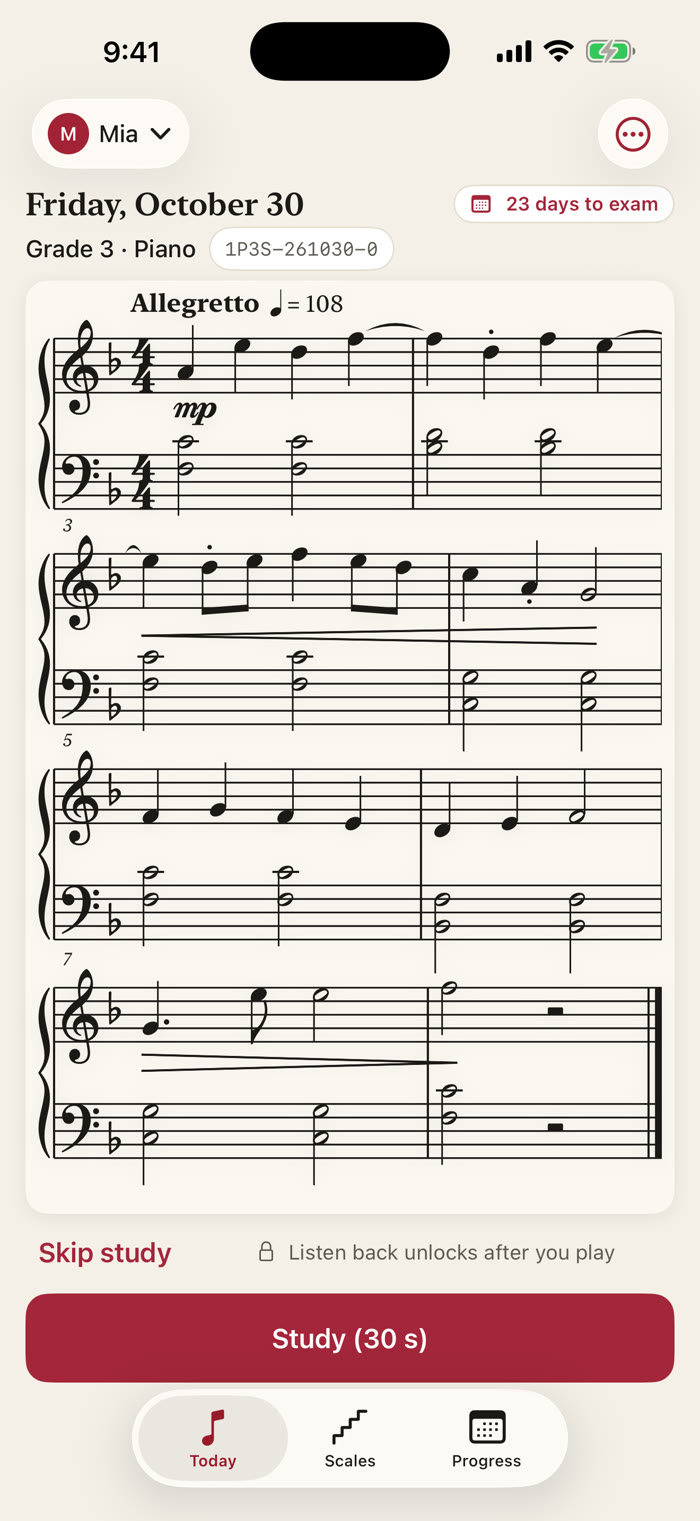
Today screen: an eight-bar Grade 3 piano piece engraved on a grand staff, marked Allegretto, with the piece code 1P3S-261030-0, a '23 days to exam' badge and a Study (30 s) button
23 days to examShown on your Lock Screen too
1P3S-261030-0Same piece for your teacher
38-second tour

A piece you have never seen.

A piece, a 30-second look, a rating, the playback, and the scale caller. Tap the speaker for the narrated version.

10
Instruments, from piano on the grand staff to any treble or bass clef
Initial–5
Six levels, pitched like a graded exam
30 s
To study it, then play. A new piece every morning
1 price
Pay once, every update included

Sight-reading, the way teachers ask for it

Something new. Every day.

Every music teacher gives the same advice: sight-read something new every day. The hard part is finding something new. Printed books run out and get memorised. Unseen never runs out, so you practise reading the notes in front of you, not remembering them.

Today's piece for Mia, Grade 3 piano: a full eight-bar score on the grand staff with dynamics, hairpins and slurs, and a Study (30 s) button

Today's piece

A real score, fresh every morning.

A brand-new piece of 4 to 12 bars, written for your instrument and your grade. Real staff, key and time signatures, correct beaming, dynamics and phrasing, engraved like a printed exam book.

It is whole pieces of sheet music, not a flashcard drill: rhythm, key and phrasing to keep going through. Thirty seconds to study, then play, just like the exam.

Rate it, hear it

Play it. Rate yourself. Listen back.

Choose Clean, A few slips or Fell apart. Unseen suggests an easier or harder setting when it fits, and never changes your grade for you.

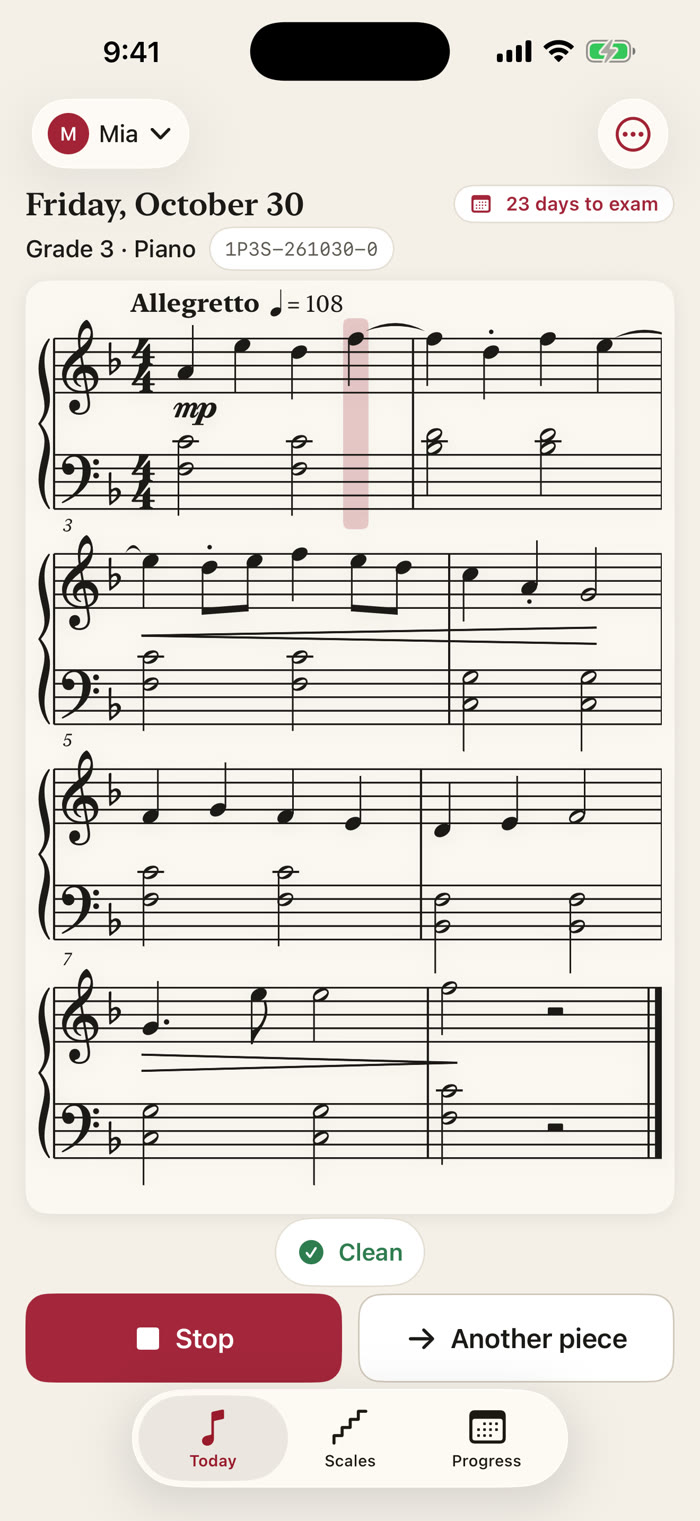
Then listen back: the piece plays while a highlight follows the bars. Want more? Another piece is always one tap away.

Clean A few slips Fell apart
The piece rated Clean, with Listen back playing: a soft highlight sits over the bar being played, and an Another piece button next to it
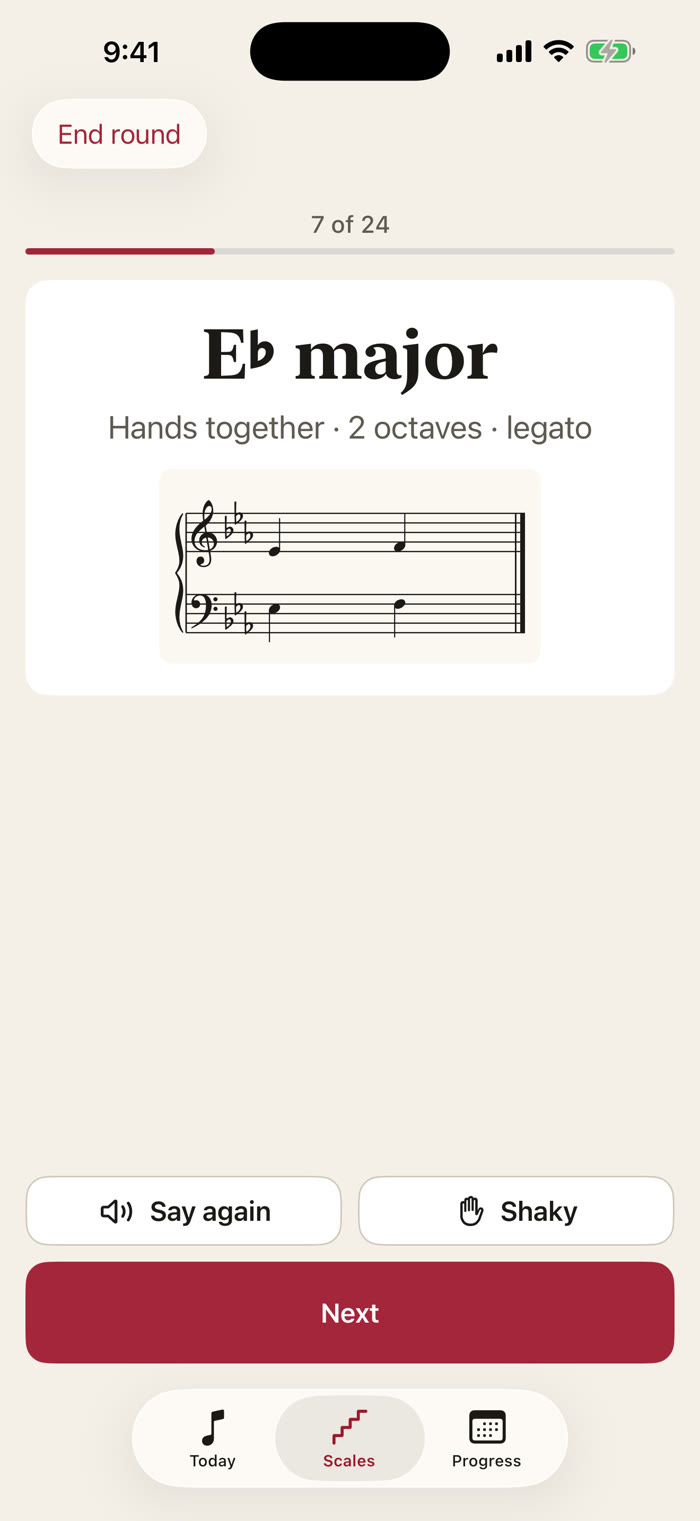
Scale Examiner round, call 7 of 24: E-flat major, hands together, 2 octaves, legato, with a one-bar staff and Say again, Shaky and Next buttons

Scale Examiner

Scales, called out loud.

It calls your grade's scales and arpeggios aloud in a random order, such as “E-flat major, hands together, two octaves, legato”, until you have played them all.

Mark the shaky ones and run just those again. Every call is also shown as text on the card, so you can read it as well as hear it.

Every player

Ten instruments. Initial to Grade 5.

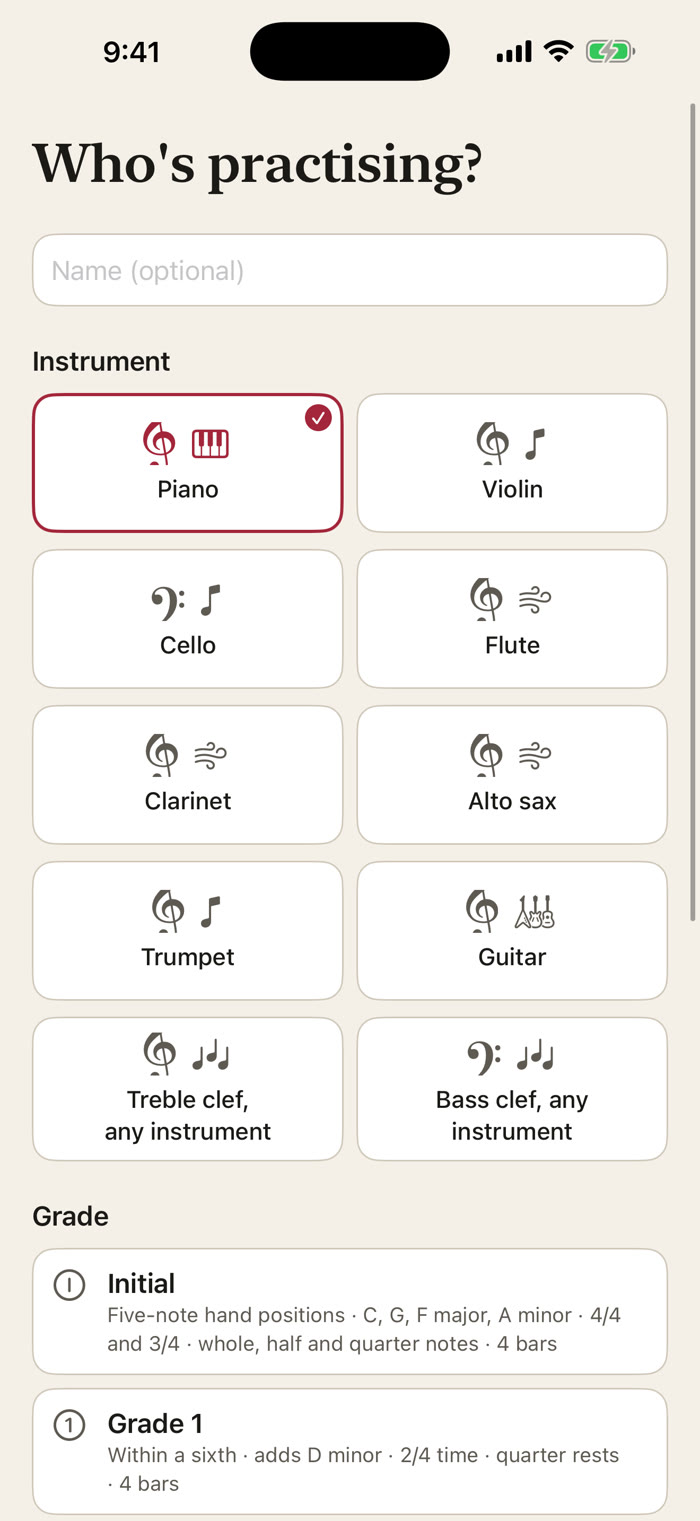
Piano on the grand staff, plus violin, cello, flute, clarinet, alto sax, trumpet, guitar, and any treble-clef or bass-clef instrument. Up to six students on one device, made for families.

Each grade comes with a plain-language description of what to expect, from five-note hand positions at Initial to 6/8 time and dotted rhythms by Grade 3.

The Who's practising? screen: a name field, ten instrument cards from Piano and Violin to Treble clef and Bass clef any instrument, with Piano selected, and a list of grades starting at Initial
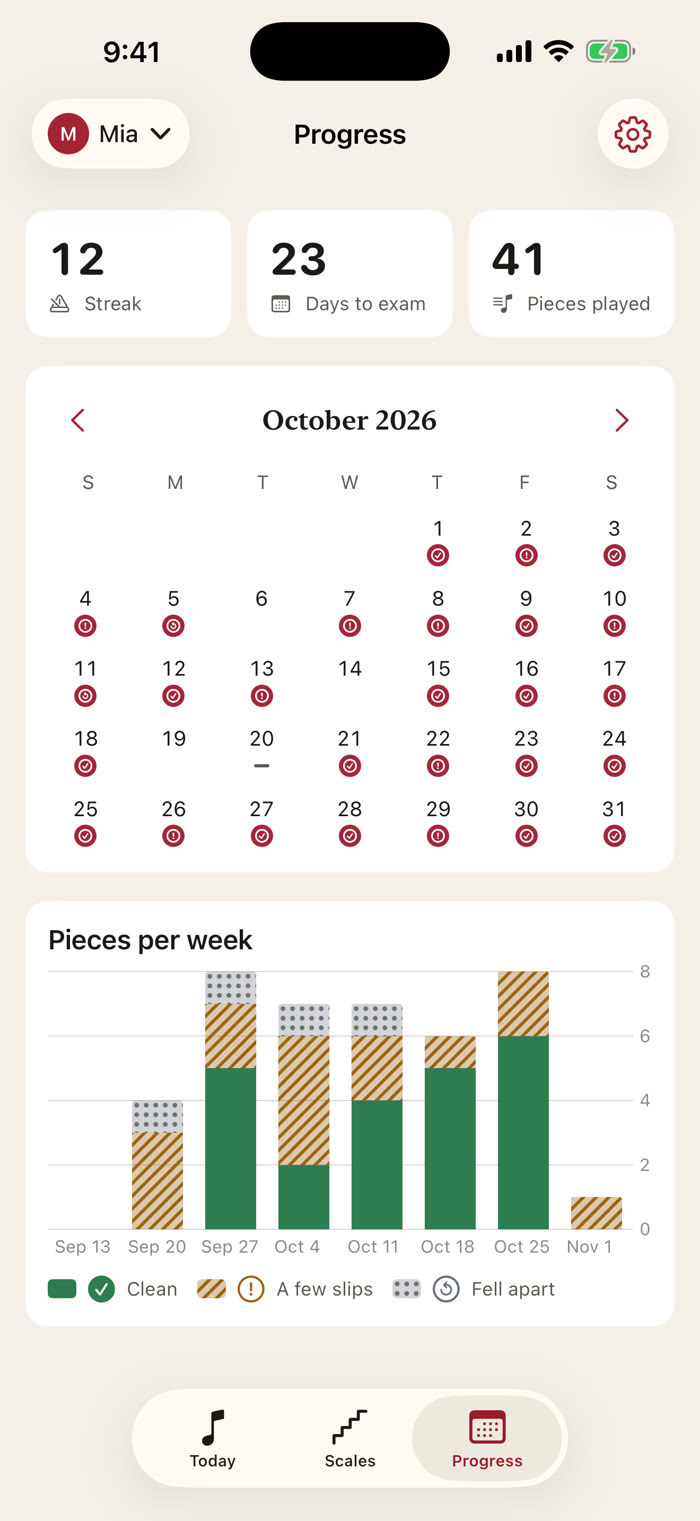
Progress tab: a 12-day streak, 23 days to exam, a month calendar with a marker for each practice day, and a Pieces per week chart

A habit, not a chore

A streak that forgives a rest day.

A calendar of the days you practised, the days to your exam, and your pieces per week. A gentle streak forgives a rest day each week. No points, no pop-ups, no guilt.

Today's piece sits on your Home Screen as a widget, with your streak and the days to your exam on the Lock Screen. Ask Siri for today's piece or to call your scales.

For teachers

The same piece, nothing to send.

Teacher and student see the same piece on the same day, note for note. Read out a short piece code, like 1P3S-261030-0, to open any piece on another device.

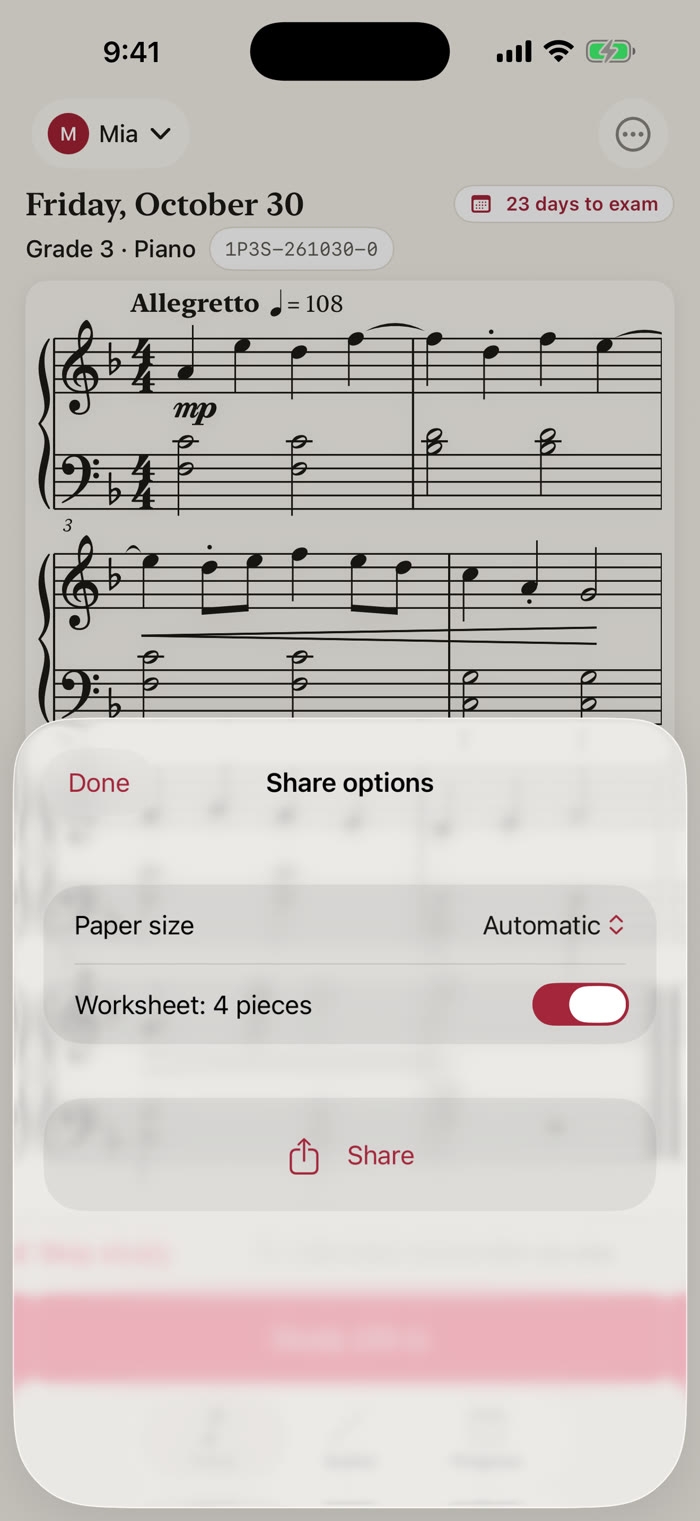
Share any piece as a PDF, or a worksheet of four pieces to print for a lesson.

Pieces are generated on your device from the date, instrument and grade, so the code is all that has to travel.

Share options over the piece: Paper size set to Automatic, a Worksheet: 4 pieces switch turned on, and a Share button

Accessibility, built in

Made for every reader of music.

Unseen was built with VoiceOver, Voice Control, larger text and high contrast from the start, not patched in afterwards. The score is spoken as a summary plus a description of every bar, so blind and low-vision musicians can hear exactly what a piece contains.

Private by design

It reads your music. It never listens.

Unseen never uses the microphone and collects no data. Student names, grades, exam dates and practice history stay on your device. There is no account, no server, no analytics and no advertising. The App Store label says it plainly: Data Not Collected.

Works offline
No account, no login
No microphone
Data Not Collected

Pay once. Practise for years.

One purchase. Every future update included. No subscription, no ads, no account.

Unseen: Daily Sight-Reading
Pay once.
Every update included.
A fresh piece every day and Another piece without limit, Initial to Grade 5 for ten instruments, the Scale Examiner, Home Screen and Lock Screen widgets, Siri, piece codes, PDF sharing and worksheets, up to six students on one device. No in-app purchases.
Download on the App Store
Where sight-reading practice usually comes from
Printed sight-reading books
Good music, but a fixed number of pages. They run out and you start to memorise them
runs out
Note-name flashcards
Single notes, not whole pieces with rhythm, key and phrasing
not a piece
Yearly subscriptions
A payment every year to keep the exercises coming
every year
Unseen
A new piece each day, never runs out, yours to keep
pay once

Questions from the practice room

Will I get the same piece twice?
Unseen never runs out: there is a new piece every day, and Another piece is always one tap away. The piece for a given date, instrument and grade is the same on every device, which is how a teacher and a student can open the same exercise without sending anything.
Does it listen to me play?
No. Unseen never uses the microphone. You rate yourself honestly (Clean, A few slips, Fell apart) and Unseen uses that to suggest an easier or harder setting. It never changes your grade for you.
Does it match my exam board?
Grades describe a standard similar to Initial and Grades 1–5 of graded music exams such as ABRSM, Trinity and AMEB. Unseen is not affiliated with or endorsed by any exam board. Always check your board's current syllabus with your teacher.
What does the Scale Examiner do?
It speaks your grade's scales and arpeggios one at a time in random order, for example “E-flat major, hands together, two octaves, legato”, until you have played them all. You can mark the shaky ones and run just those again.
Can a whole family use one phone?
Yes. Up to 6 students can share one device, each with their own instrument, grade, exam date and streak.
What do I need to run it?
An iPhone or iPad running iOS 17 or later. It works offline, and the iPad layout is made for a music stand. Buy it once and it is yours on every device signed in with your Apple Account.

A new piece, every day.

Sight-read something you have never seen. Pay once, and it is yours.

Download on the App Store
Pay once · no subscription